Planning optimization software helps you turn a long list of jobs, vehicles and drivers into a schedule that is realistic and efficient. By combining automatic suggestions with manual control, planning optimization lets your team respond faster to change and keep the whole operation in balance.
Planning optimization is the core of a stable and scalable logistics operation. The points below explain what planning optimization is, what it considers and why it matters for your daily work.
Creates daily plans for routes, shifts and tasks so every driver and vehicle has a balanced workload. It gathers all orders and resources in one place and turns them into a plan that is ready to execute, with clear priorities and timing for each activity.
Considers order priorities, delivery time windows, service type, vehicle capacity, driver skills and working hours. It builds plans that complete all required work with as little waste as possible while still protecting service quality for every customer.
Without it, planners must build schedules by hand and react to changes under time pressure. Planning optimization provides suggestions and overviews so planners see the whole picture, adjust as needed and stay in control as demand increases.
Planning optimization software gives planners a clear starting point for every day, so they spend less time building plans from scratch.
Plans are built with realistic limits on capacity, service time and working hours, which reduces stress and last minute changes.
Planning optimization distributes work more evenly across drivers, vehicles and regions, which increases the number of completed jobs per day.
Plans respect delivery time windows and service priorities, so customers receive more reliable visits and fewer cancellations.
When new orders or disruptions appear, planning optimization helps you replan quickly without losing the overall structure of the day.
Planning optimization gives managers one place to see how routes, shifts and tasks fit together, so decisions are based on a complete picture.
Helps coordinate store replenishment and home delivery so that each vehicle follows a realistic schedule and teams can handle daily order peaks.
Supports frequent pick ups and deliveries by grouping work into sensible routes and rounds, even when new orders appear throughout the day.
Respects strict time windows and handling requirements so that temperature sensitive products reach customers in good condition.
Arranges visits for technicians so that travel time is reduced and more jobs are completed within the working day.
Supports recurring routes and complex order patterns, ensuring that customers receive regular and predictable visits.
Helps companies scale up during busy periods by using drivers, vehicles and support staff more efficiently.
Orders and service jobs flow into Zoopit from your existing systems or are registered directly. Each task includes address, time window, priority and required service type.
Vehicles, drivers and service areas are set up in Zoopit together with rules for capacity, skills, working hours and allowed zones. These rules guide the planning optimization process.
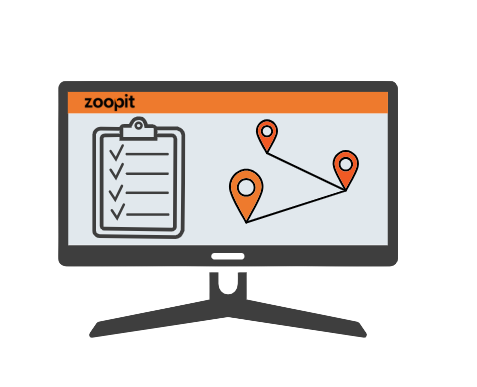
Zoopit analyses all active tasks and available resources and produces a suggested plan for routes, shifts and assignments. The plan aims to complete all work with efficient travel and balanced workloads.
Planners review the suggested plan in an intuitive interface. They can move tasks, lock parts of the plan and make manual corrections, then run planning optimization again if needed.
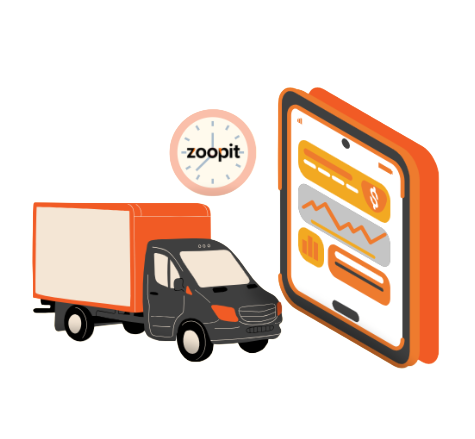
Once the plan is ready, routes and tasks are sent to drivers and service staff through the mobile application. Managers and support teams follow progress and can adjust the plan if new information appears.
Planning optimization in Zoopit is the process of creating daily schedules for routes, shifts and tasks based on orders, resources and rules. It helps you move from manual planning to a structured and repeatable way of building plans.
No. Planning optimization is designed to support planners, not replace them. The system proposes a plan, and planners stay in control by reviewing, changing and approving it before execution.
Many organisations can start using basic planning optimization soon after key data is set up, such as vehicles, drivers, service areas and time windows. As the team gains experience, more detailed rules can be added to refine the results.
Planning optimization and route optimization work together in Zoopit. Planning optimization focuses on which tasks should be done by which resource and when, while route optimization focuses on the best sequence of stops on each route. Together they create plans that are both realistic and efficient.