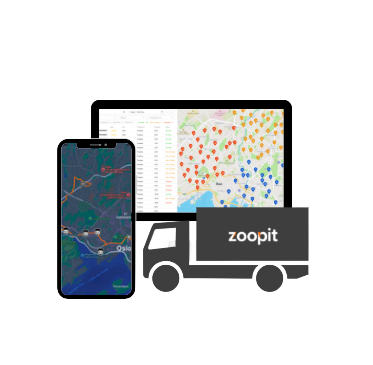
Flåtestyring i Zoopit gir deg ett sted å administrere kjøretøy, sjåfører og begrensninger. Med tydelig informasjon om hvem som kan gjøre hva og når, hjelper flåtestyringen deg med å lage realistiske planer, ivareta sikkerheten og bruke transportressursene dine mer effektivt.
Det er grunnlaget for pålitelig logistikkplanlegging. Punktene nedenfor forklarer hva flåtestyring er i Zoopit, hva det inneholder og hvorfor det er viktig for din virksomhet.
Holder fullstendig oversikt over kjøretøy, sjåfører og deres evner. Den sporer kapasitet, kjøretøytype, utstyr, områder og kvalifikasjoner for hver ressurs, slik at hver jobb blir tildelt en passende kombinasjon av kjøretøy og sjåfør, og planleggerne alltid vet hva flåten kan levere.
Lagrer regler om arbeidstid, kjørebegrensninger, regioner, ferdigheter og tjenestetyper. Planleggingsverktøyene bruker disse reglene når de lager ruter og skift, slik at planene overholder lovpålagte krav og selskapets retningslinjer uten at planleggeren trenger å huske alle detaljer.
Uten dette må planleggerne stole på hukommelsen og spredte notater for å vite hvilke sjåfører som kan håndtere hvilke ruter og hvilke biler som er ledige. Flåtestyring erstatter denne gjettingen med pålitelige data, noe som gjør planleggingsbeslutningene tryggere, mer transparente og langt enklere å skalere etter hvert som virksomheten vokser.
Flåtestyring hjelper deg med å se hvilke biler som er tilgjengelige og hvordan de brukes, slik at hver bil kan utføre en fornuftig mengde arbeid.
Ved å lagre regler for arbeidstid, kvalifikasjoner og restriksjoner støtter flåtestyringen planer som følger sikkerhets- og lovkrav.
Planleggerne kan fokusere på å bygge gode ruter, mens systemet kontrollerer at oppdragene samsvarer med kapasitet, kompetanse og tillatte soner.
Flåtestyring reduserer sjansen for at en jobb blir tildelt en uegnet sjåfør eller et uegnet kjøretøy, noe som beskytter både servicekvalitet og sikkerhet.
Ledere kan se hvor mange biler og sjåfører som er i bruk, hvor mange som er ledige og hvor kapasiteten er knapp, noe som gjør det enklere å planlegge for fremtiden.
Når flåteinformasjonen er strukturert, blir det enklere å analysere ytelsen, sammenligne kjøretøy og ta bedre investeringsbeslutninger.
Hjelper med å koordinere butikkpåfylling og hjemlevering ved å vise hvilke biler som kan håndtere hvilke ruter og produkter.
Støtter store nettverk med mange kjøretøy ved å holde oversikt over kapasitet, utstyr og regionale regler.
Registrerer kjøretøy med kjøleutstyr og spesielle håndteringsbehov, slik at ferske varer alltid plasseres på egnede ruter.
Sporer kjøretøy som brukes av teknikere og servicepersonell, inkludert utstyr og områder, slik at planleggerne kan tildele riktig team til hver jobb.
Støtter gjentatte ruter til kunder ved å føre en stabil liste over biler og sjåfører som er kjent med hver region.
Hjelper ekspanderende selskaper med å holde kontroll når antall kjøretøy, sjåfører og serviceområder øker.
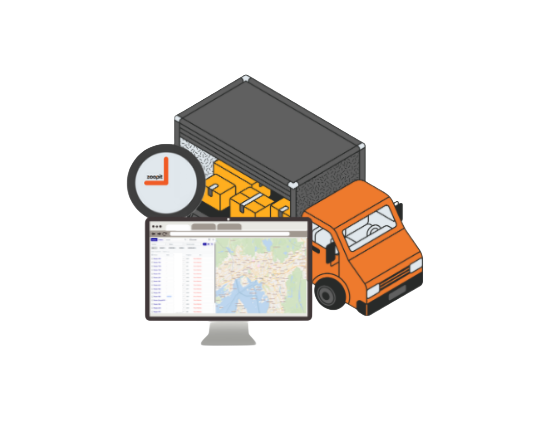
Du legger til hvert enkelt kjøretøy i Zoopit med detaljer som kapasitet, type, utstyr og tillatte områder. Plattformen holder denne informasjonen oppdatert.
Sjåfører og servicepersonell er registrert med kompetanse, kvalifikasjoner og arbeidstidsregler. Dette knytter mennesker og kjøretøy sammen på en strukturert måte.
Du definerer regler for regioner, tjenestetyper, tidsbegrensninger og andre begrensninger. Disse reglene styrer planleggingen og ruteoptimaliseringen slik at oppdragene forblir realistiske.
Når planleggerne lager ruter og tidsplaner, bruker Zoopit flåtedataene til å foreslå passende kombinasjoner av kjøretøy, sjåfører og oppdrag.
Ledere kan se hvilke biler og sjåfører som er aktive, oppdatere informasjon når noe endres, og bruke flåtedata til rapporter og forbedringer.
Flåtestyring i Zoopit er det sentrale stedet der du lagrer og vedlikeholder informasjon om kjøretøy, sjåfører og deres begrensninger. Denne informasjonen brukes av planleggings- og rutingsverktøyene til å lage sikre og effektive planer.
Flåtestyring krever en del oppsett i starten, men det reduserer det daglige arbeidet. Når kjøretøy, sjåfører og regler er registrert, bruker planleggerne mindre tid på å sjekke detaljer og mer tid på å fokusere på strategiske beslutninger.
Ja. Flåtestyring støtter flere kjøretøytyper, kapasiteter og områder. Du kan spesifisere hvilke kjøretøy og sjåfører som kan kjøre i hvilke regioner og for hvilke typer oppdrag.
Flåtestyring gir pålitelige data om hvordan kjøretøy og sjåfører brukes. Disse dataene kan kombineres med rapporter om distanse, tid og servicekvalitet, noe som hjelper ledere med å ta bedre beslutninger om vedlikehold, ansettelser og investeringer.
Har du noen spørsmål? Ring oss på +47 21 08 66 70